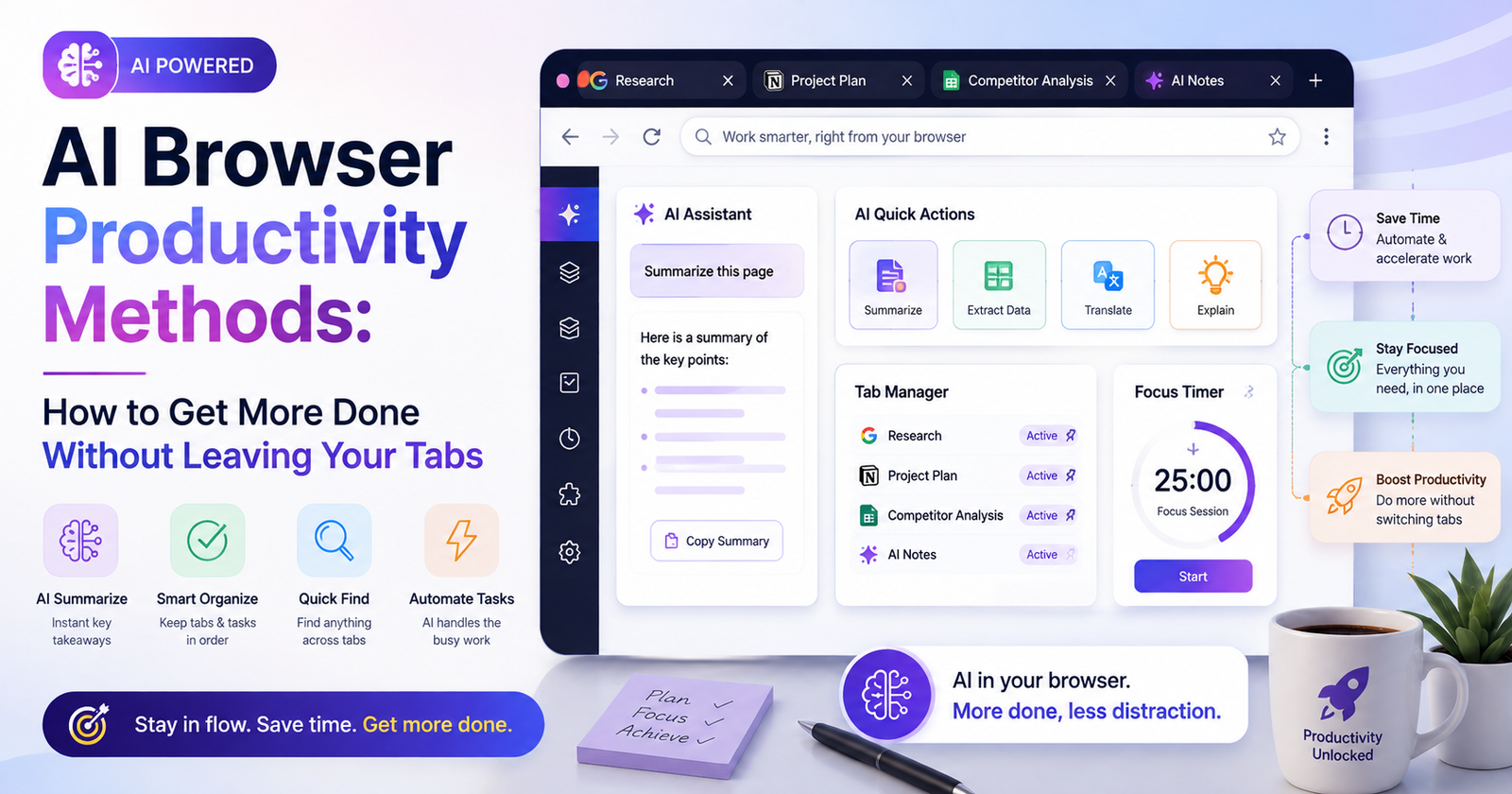

I counted my open tabs the other day out of curiosity. Thirty-one. Half of them I couldn’t even remember opening, and two were duplicates of the same article I’d apparently given up on twice. That’s basically the whole knowledge-work experience in one screenshot — dozens of tabs, half-read stuff, forgotten research, and a ton of repetitive copy-paste that nobody enjoys doing. AI has quietly changed what’s possible inside that mess of a browser window, though, turning it from a passive thing you stare at into something that can actually summarize and draft and organize and, increasingly, just do stuff for you. AI browser productivity methods are the practical techniques people are using right now to claw back hours of their week, often using tools that were sitting there unused the entire time.
Let me go through the methods people are actually using, organized loosely by what kind of work they solve, with some honest thoughts on not turning your workflow into a pile of half-used tools nobody remembers why they installed.
Why the Browser Became Where This All Happens
Productivity advice used to be about apps. A task manager here, a notes app there, a separate thing for writing. But most actual work still happens in a browser tab no matter which app is technically running the show underneath. Email’s a tab. Research is tabs, obviously. Writing increasingly happens in a browser-based doc. Even a good chunk of coding routes through browser tools these days.
AI built into or alongside the browser meets people exactly where the work already is. Doesn’t ask you to context-switch into yet another separate app just to get help. That’s really the core reason this caught on so fast — it removes friction instead of adding one more thing to juggle.
Research, Without Hoarding Forty Tabs
Traditional research usually means opening a dozen tabs, skimming each, manually stitching together notes in your head or a doc somewhere.
The method here isn’t asking one question and calling it done. People who get real value out of this treat it as back-and-forth. Broad question first, then narrower follow-ups based on whatever the first answer surfaced, gradually sharpening the picture instead of expecting one perfect query to solve everything on the first try. Basically how a decent research assistant would actually work through something, rather than treating a single search box like a magic answer machine.
Worth building the habit of using AI to pre-screen long articles before committing to reading the whole thing too. Quick summary first, then dive in only if it’s clearly worth your time. Cuts out a genuinely huge amount of wasted reading.
Drafting Right Where You’re Already Working
One of the more underused things — AI that drafts directly inside whatever you’re working on. An email, a form, a comment box, a doc. No copying text back and forth between some separate chat window and the actual page you need it in.
Sounds minor but it isn’t, really. Constantly switching between a chat tool and wherever you’re pasting the output breaks your concentration, and that adds up over a whole day in ways you don’t notice until you actually pay attention. Drafting in context keeps you in one flow — rough version, ask the AI to tighten it, done, without leaving the page at all.
Good method to build here is letting AI take the first pass on routine writing — status updates, standard replies, meeting recaps — and saving your own full attention for stuff that actually needs original thought or a personal touch. Not every piece of writing deserves equal effort. AI’s genuinely good at the templated, repetitive chunk of written communication specifically.
Turning Long Stuff Into Fast Decisions
A lot of time gets burned reading things that, in hindsight, weren’t worth reading fully. Summarization tools built into modern browsers compress a long article or a bloated email thread or a dense report into a handful of key points in seconds.
What makes this actually useful, not just a party trick, is applying it consistently at decision points instead of remembering it occasionally.
Automating the Repetitive Browser Stuff
Beyond writing and research, there’s a growing category of tools that can actually take actions for you — filling out forms, pulling data off a page into a spreadsheet, comparing prices across sites, working through a multi-step process that would normally mean clicking through five different pages manually.
The method that matters here is picking specific repetitive tasks that eat small chunks of time constantly, rather than trying to automate everything at once and getting overwhelmed. Something that takes two minutes but happens twenty times a week adds up to a real chunk of a month, and these small, frequent, rule-based tasks are exactly what browser automation handles well.
Getting a Handle on Tab Chaos
Tab overload might be the most universal browser problem there is, and AI’s increasingly being used to actually deal with it directly instead of layering another organizational system on top of the mess.
Habit worth building — treat open tabs as temporary working memory, not permanent storage. Using AI to periodically review and summarize what’s open, then actually closing what’s been processed, stops the kind of sprawl that quietly slows down an entire session without you noticing why things feel sluggish.
Using It as a Second Pass, Not Blind Trust
What separates people who get real value here from people who get frustrated and give up is understanding where AI actually helps and where it shouldn’t be trusted at face value. It’s genuinely strong at compressing information, drafting routine text, and handling structured repetitive tasks. Much less reliable on judgment calls that depend on nuanced context or strategic priorities or information it simply doesn’t have.
Practical version of this — treat AI output as a strong first pass that still gets human review before anything important goes out, rather than assuming it’s automatically correct just because it sounds confident. Not about distrust exactly.
Building Something That Actually Sticks
Biggest mistake people make trying to adopt all this at once — five different AI tools running simultaneously, each for a slightly different sliver of a task, which ends up creating more mental overhead than it saves. Better approach: pick one or two core tools covering the most frequent stuff — research and summarization tend to be the highest-value starting point for most people — and build consistent habits around those first before adding anything else on top.
Worth occasionally auditing which habits are actually saving time versus which ones just became an extra step out of pure habit, too.
Privacy, Worth Actually Thinking About
A lot of these tools process the content of whatever page you’re viewing, which can include sensitive work documents or internal company info or personal data depending on what you happen to be browsing at the time.
Final Thoughts
AI browser productivity methods aren’t about replacing how people work with some entirely new system. It’s about removing the small, constant friction that’s always existed in browser-based work — too many tabs, too much reading, too much repetitive typing, too much copying between tools that don’t talk to each other. The people getting the most out of this aren’t necessarily running the most advanced tools available.