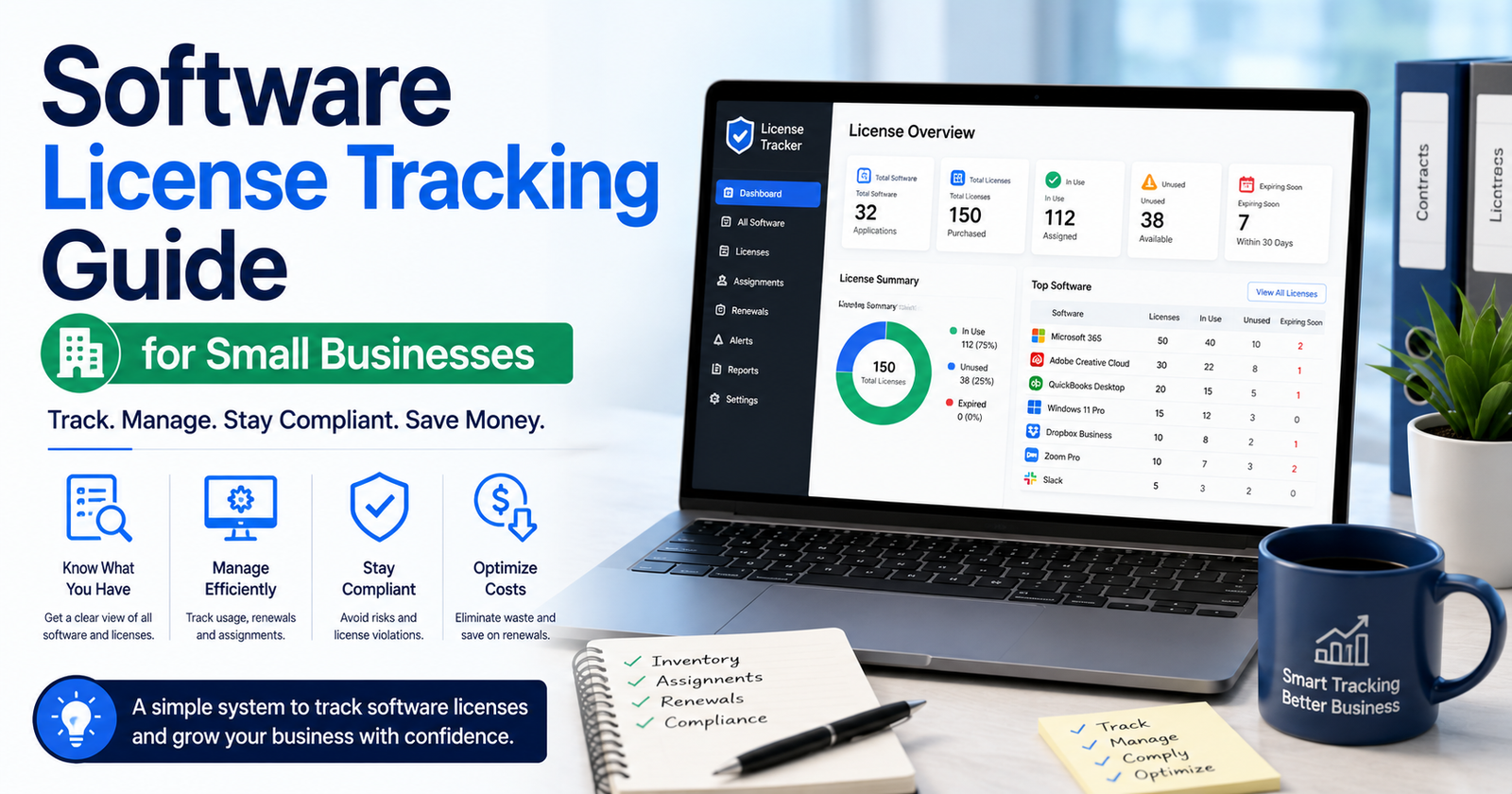

An oddly large number of small businesses are paying for software nobody remembers signing up for. A free trial quietly becomes a paid plan. An employee leaves, but their seat stays active because nobody thought to check. Six months go by, and someone in finance is staring at a subscription total they can’t fully explain, wondering when half of these things even started. Tracking licenses properly fixes this — and no, it doesn’t take some expensive enterprise platform to pull off.
This guide covers why license tracking gets skipped in the first place, what’s actually worth tracking, and how to build a system that stays accurate without eating up someone’s whole afternoon every month.
Why This Gets Overlooked
Nobody skips this on purpose. It just creeps up — the number of tools grows faster than anyone’s mental list can keep pace with.
One new hire can trigger five, six new signups without anyone really noticing: project management tool, design app, some communication platform, a couple of smaller utilities nobody remembers approving. Do that across a growing team and pretty soon the software footprint is way past what anyone can hold in their head.
Auto-renewal doesn’t help. Most software renews by default, and canceling takes a deliberate action that nobody ever schedules time for — so a forgotten tool just keeps charging the card, month after month, until somebody finally notices.
And usually nobody actually owns this problem. Everybody assumes somebody else is watching the software stack. Which means, in practice, nobody is.
What’s Actually Worth Tracking
A good tracking system needs more than just a tool name and a price tag next to it.
Renewal date and billing cycle — monthly or annual — matters more than it sounds. Know exactly when the charge hits and you can cancel before it happens instead of after, which is a very different conversation with finance.
Seats versus actual usage. A lot of tools charge per user, and comparing how many seats you’re paying for against how many people actually log in regularly tends to reveal wasted spend almost instantly. It’s usually more than people expect.
Contract terms too — some software buries a 30-day cancellation notice requirement somewhere in the terms nobody reads at signup. Write that down the day you sign up. Future you will need it.
And give every tool an owner. One specific person responsible for it, someone who decides whether it’s still worth paying for. Otherwise that decision just falls through the cracks, every time, for every tool.
Building the System Itself
You don’t need anything fancy to start. A decently organized spreadsheet covers most small businesses just fine.
Start basic: tool name, monthly cost, renewal date, seat count, internal owner, cancellation notice window. That’s really it. Those six columns alone eliminate most of the guesswork that leads to wasted spend in the first place.
Then add calendar reminders — two to four weeks before each renewal, because a spreadsheet nobody checks is worthless. The reminder forces the review at the right moment instead of relying on someone happening to remember.
Once a business crosses maybe fifteen or twenty active subscriptions, dedicated SaaS management software starts earning its keep. A lot of these connect straight to your bank or card feed and flag new charges automatically, which catches things a spreadsheet never will on its own.
Actually Auditing It
Tracking only works if somebody reviews it on a schedule. Set it up once and forget it, and you’re right back where you started.
Quarterly review. Every three months, go down the list and ask, for each tool: is anyone actually using this, and how many people? Anything sitting unused gets flagged for cancellation, no exceptions.
Cross-check it against offboarding too. When someone leaves, their software access needs to get reviewed and cut the same day as their email account — not weeks later, not “whenever someone gets to it.” Leftover seats after someone’s gone are one of the most common ways companies bleed money without noticing.
Worth adding one line to the offboarding checklist: review and remove every software seat tied to that person. One line. Prevents a genuinely large chunk of ongoing waste.
Usage data helps too, when it’s available — a lot of tools show login activity right in the admin dashboard. Pull that during the quarterly review and you’ll spot licenses that are technically still active but functionally dead.
Cutting Costs Once You Can See the Full Picture
Once the tracking actually shows you what’s going on, a handful of obvious moves usually follow.
Overlapping tools happen constantly — two or three apps doing basically the same job, adopted by different people at different times who didn’t know the other existed. Consolidate onto one, cut the rest, save money and confusion in one move.
Annual pricing is worth asking about too. A lot of vendors knock off twenty percent or more for switching from monthly to annual billing. Once a tool’s proven itself as a long-term fixture, locking that in usually just makes sense.
And watch for premium tiers that never got downgraded. Somebody upgraded a plan for one project, six months ago, and it’s still sitting there at the higher tier for no reason. The quarterly review is exactly where this kind of thing gets caught.
Mistakes People Keep Making
A few patterns show up over and over in businesses that struggle with this.
Treating it as a one-time project. Set up the spreadsheet, feel good about it, never touch it again — that solves nothing. It only has value if someone keeps it current as tools get added and retired.
Letting one person hold all the knowledge. If only one employee knows where the tracking sheet even lives, that knowledge vanishes the second they’re out sick or leave the company. Write the process down somewhere more than one person can find it.
And free trials — probably the single most common source of surprise charges. Note the trial end date the second you sign up, and set a reminder before it silently converts to paid.
Final Thoughts
Software license tracking isn’t exciting work. Nobody’s putting it in a highlight reel. But it protects a business’s bottom line in a way most operational habits just don’t, and a simple spreadsheet, checked on a real quarterly schedule, catches waste long before it turns into an actual problem. The effort’s small. The savings, over time, usually aren’t.


[…] handful of things make sense once annually, often paired with some broader office review […]
[…] alerts with context, first — meaning the notification should already contain the request payload, the status codes, the […]
[…] surprises people, this one. An early fax version existed before the telephone was invented. Developed for transmitting handwritten messages and simple images over telegraph […]
[…] to guess their own daily screen time before checking real tracking data, most people underestimate it by a genuinely significant margin. Sometimes by an hour or more in […]